
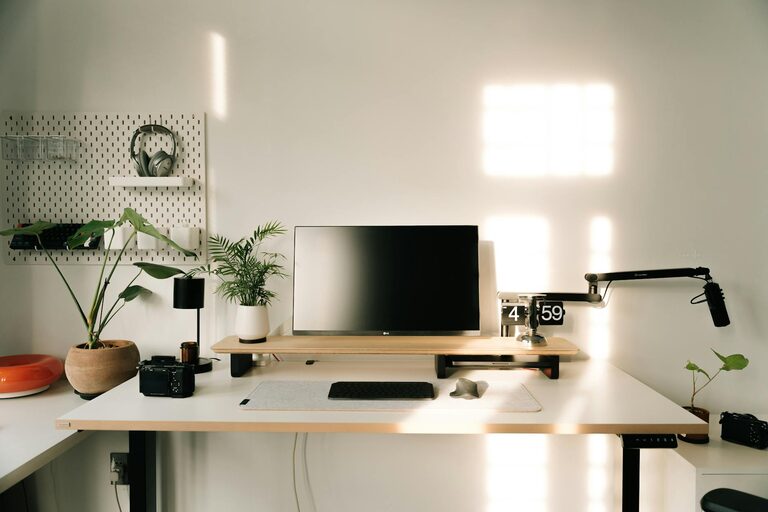
Creating a comfortable and efficient home workspace is essential for maintaining focus, productivity, and wellbeing—especially if you spend long hours working remotely. A well-planned workspace can help reduce stress, improve concentration, and separate work life from home life. Here are some practical tips to help you design a relaxing and productive workspace at home.
Choose the Right Location
Finding an ideal spot for your workspace is the first step.
– Quiet and Low-Traffic Area: Pick a place with minimal distractions and foot traffic to keep interruptions to a minimum.
– Natural Light: If possible, position your desk near a window to benefit from natural daylight, which can improve mood and energy levels.
– Space to Move: Ensure you have enough room to stretch, move around, and comfortably arrange your equipment.
Invest in Ergonomic Furniture
Comfort plays a big role in productivity.
– Supportive Chair: Choose an ergonomic chair with good lumbar support to promote correct posture and prevent back pain.
– Adjustable Desk: A desk at the right height or even a sit-stand desk encourages movement during the day.
– Monitor Placement: Your screen should be at eye level to avoid neck strain. Consider a monitor stand or adjustable arm.
Keep Your Workspace Organised
A tidy environment reduces mental clutter.
– Declutter Regularly: Remove unnecessary items from your desk to keep the area clean and distraction-free.
– Storage Solutions: Use shelves, drawers, or desk organisers to store supplies and papers neatly.
– Cable Management: Use clips, cable ties, or organisers to keep wires tidy and prevent tangling.
Incorporate Calming Elements
Small touches can make your workspace feel more peaceful.
– Plants: Adding greenery can boost your mood and improve air quality.
– Lighting: Soft, warm lighting can create a soothing atmosphere — consider lamps or adjustable LED lights rather than harsh overhead lights.
– Personal Touches: Photos, artwork, or meaningful objects can make your space feel more inviting without overcrowding it.
Minimise Distractions
Creating boundaries helps maintain focus.
– Noise Control: Use noise-cancelling headphones or play gentle background music if it helps you concentrate.
– Technology Settings: Turn off non-essential notifications during work periods to avoid interruptions.
– Defined Work Hours: Communicate your working times to family or housemates to reduce unexpected disturbances.
Create a Routine for a Productive Day
Establish habits that signal the start and end of your workday.
– Morning Preparation: Set up your workspace and review your tasks each morning as a way to get into work mode.
– Break Time: Schedule regular breaks to stretch or move around; this refreshes the mind and body.
– Clear Finish: At the end of the day, tidy your workspace to help mentally close the workday and prepare for tomorrow.
Use Technology Wisely
Technology can both help and hinder productivity.
– Essential Tools: Use apps or software that help with time management, task organisation, or communication.
– Avoid Multitasking: Focus on one task at a time to improve quality and efficiency.
– Backup and Security: Make sure your work is regularly backed up and secure.
Optimise Air Quality and Temperature
Comfort includes the physical environment.
– Air Circulation: Open windows when possible or use a fan/air purifier to keep fresh air flowing.
– Comfortable Temperature: Adjust heating or cooling so you’re neither too hot nor too cold.
– Humidity Levels: If required, use a humidifier or dehumidifier to maintain comfortable air moisture.
Final Thoughts
Creating a space that is both relaxing and productive requires a balance of comfort, organisation, and personal preferences. By choosing the right location, investing in ergonomic furniture, keeping things organised, and managing distractions, you set yourself up for success. Remember, your workspace should support your wellbeing as much as your work goals.
With small changes and a thoughtful approach, your home workspace can become a place where you enjoy spending your workday and accomplish your tasks efficiently.